forked from jeanGaston/RF-AD
 jeanGaston
e1611d0507
jeanGaston
e1611d0507
- Updates in README, add sections (client/server installs, usages)
- Add reader schema
- Add reader components assemble guide
- Add AD schema modification guide
1.3 KiB
1.3 KiB
Build the reader
Ingredients
To build the reader you'll need :
- A Raspeberry pi pico
- A RC522 RFID reader card
- A SSD1306 OLED display
- A Green led with its resistor
- A Red led with its resistor
- A systeme to open a door
- Some cables and a breadboard for prototyping
- A cable to connect your computer to the Pi Pico
- Thonny installed on your computer.
- The content of the Client folder
Assemble the components
Now you can assemble the parts using the schemas. You can plug you openning relays at the same PIN as the green LED.
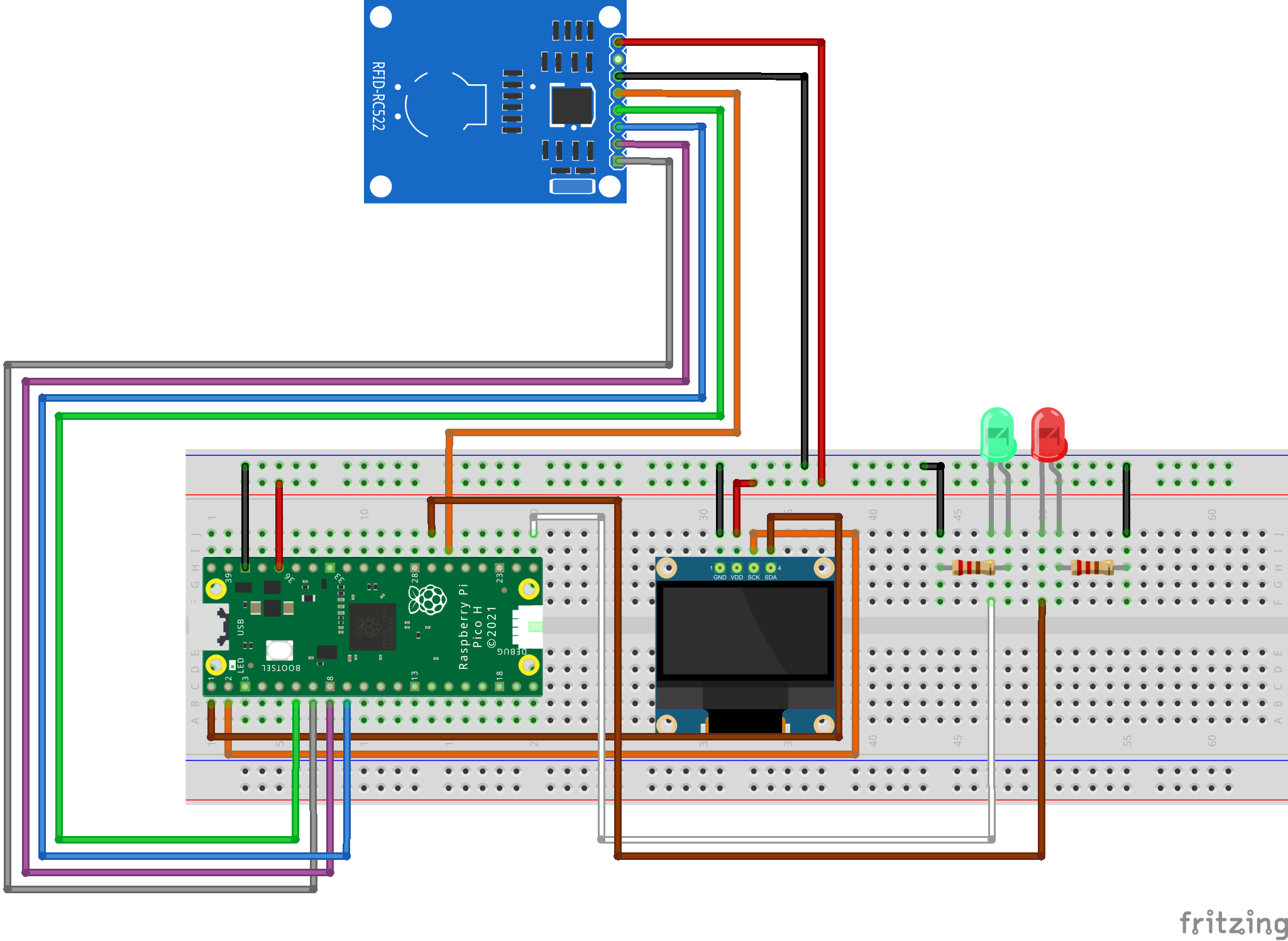
Program the Pi Pico
You can follow this guide from the raspebery py blog to initialize your Pi Pico
➡️Here it is
⚠️ I cannot guarantee the accuracy of the information contained in this guide. ⚠️
Now that you Pi Pico is fully operationnal, you can upload the content of the Client folder to it.
⚠️ Don't forget to change those variable at the beginning of main.py
⚠️ The WIFI network MUST be available in 2.4 Ghz
# Global variables
DOOR_ID = '[Your door ID]'
WLAN_SSID = '[Your SSID]'
WLAN_PASS = '[Your password]'
SERVER_IP = '[Your server IP]'